
Module detail

AI KhutbaAssistant

Go from a khutbah topic to a ready sermon workflow with AI-assisted outlining, drafting, refinement, and export.

Set the topic, language, structure, and target duration. Generate an outline or a complete khutbah, refine key passages with AI, export to Word or PDF, and draw on a growing library of reference khutbahs with Qur'an and Hadith grounding.

Start from a topic, choose the sermon language, structure, and planned duration.Generate either a quick outline or a full khutbah, then revise sections manually or with AI Improve.Save polished drafts, turn strong versions into templates, and export the text for final delivery.
English walkthrough 4:09

See the full AI KhutbaAssistant flow from topic idea to ready khutbah

This walkthrough shows the full preparation flow: choose the topic, language, structure, and length; generate an outline or full khutbah; refine sections with AI; save drafts or templates; and use the khutbah library for inspiration and references.

Watch on YouTube
How mosque teams use this module

AI KhutbaAssistant

Use AI KhutbaAssistant when you want to move from a topic idea to a ready khutbah faster: set the language, structure, and duration, generate an outline or full draft, refine key passages with AI, save reusable templates, and lean on a large khutbah library for inspiration.
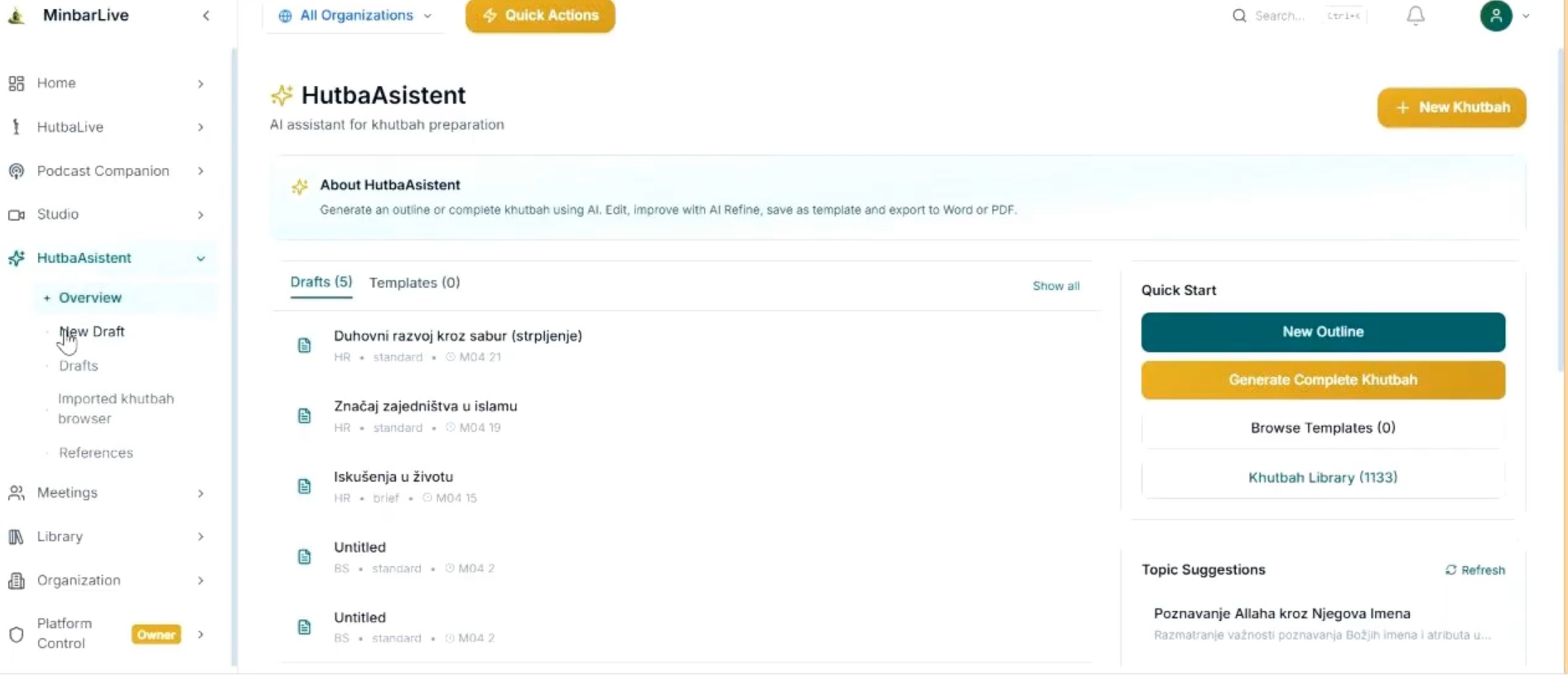
AI KhutbaAssistant overview screen with drafts, templates, quick start buttons, topic suggestions, and khutbah library access.
Dashboard

Keep drafts, templates, quick start, and the khutbah library in one place
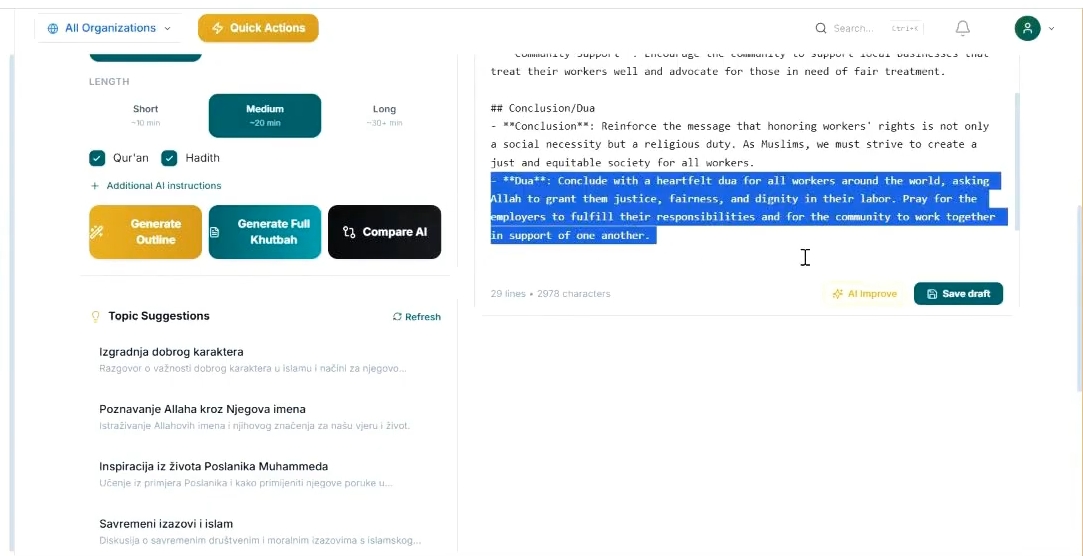
AI KhutbaAssistant editor with length controls, Qur'an and Hadith options, generation buttons, highlighted text, and AI improve action.
Refine

Control length, sources, and AI refinement inside the editor

What this walkthrough shows

What this walkthrough shows

The English demo follows the exact sermon-prep workflow an imam or mosque team needs: start a new draft, define the language and duration, generate content, improve tone or wording with AI, and keep everything organized for later reuse.

  • Start from a topic, choose the sermon language, structure, and planned duration.
  • Generate either a quick outline or a full khutbah, then revise sections manually or with AI Improve.
  • Save polished drafts, turn strong versions into templates, and export the text for final delivery.
  • Browse 1,000+ reference khutbahs with Qur'an and Hadith cues to support research, inspiration, and consistency.
AI KhutbaAssistant overview screen with drafts, templates, quick start buttons, topic suggestions, and khutbah library access.
Dashboard

Keep drafts, templates, quick start, and the khutbah library in one place

The overview screen gives your team a clear command center: recent drafts, reusable templates, quick actions, topic suggestions, and direct access to the growing khutbah library.

AI KhutbaAssistant editor with length controls, Qur'an and Hadith options, generation buttons, highlighted text, and AI improve action.
Refine

Control length, sources, and AI refinement inside the editor

Inside the drafting view, the imam can set sermon length, include Qur'an and Hadith grounding, generate an outline or full khutbah, highlight sections, and use AI Improve before saving the draft.

Beyond generation, AI KhutbaAssistant combines editable drafts, export to Word/PDF, reusable templates, and a large reference library. Teams can also extend the workflow with additional sources and supported general-purpose AI models.

Want to show this workflow to your community or team?

Open the app, try the live workflow, or continue exploring the rest of the MinbarLive modules.