Module detail

Archive

Keep every khutbah, podcast, video, and related content in one searchable library with filters, view modes, and privacy controls.

Archive goes beyond khutbah history: it stores your full content library across modules, lets teams filter by type, search quickly, switch between list and grid views, and decide what stays private or becomes publicly available later.

Keep khutbahs, podcasts, videos, and other created content together in one searchable library.Filter by content type and search instantly instead of browsing module by module.Switch between list and grid view depending on whether you want quick scanning or compact browsing.

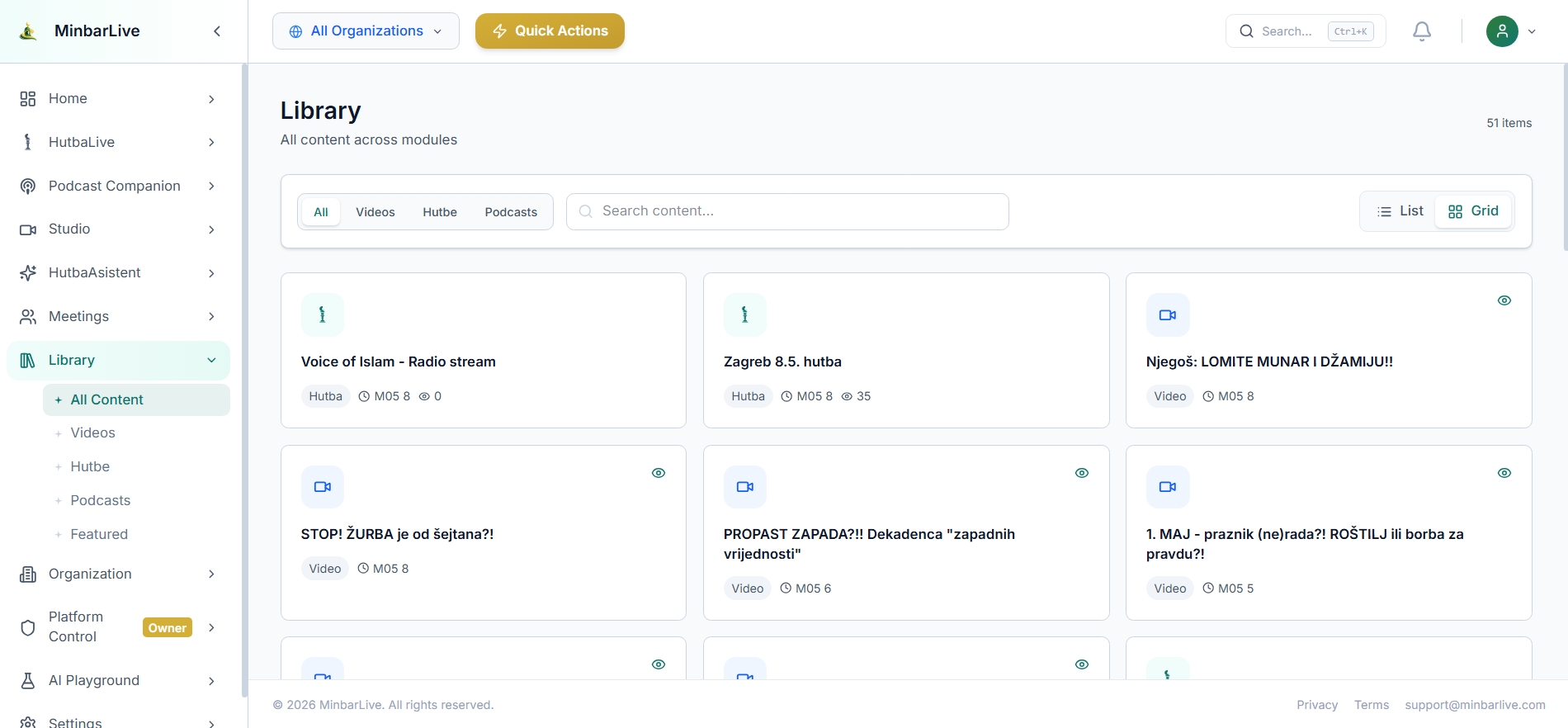
Archive library in grid view with filters, search, and mixed content cards.
Library view

See Archive as the full content library, not just a khutbah history page

Archive brings together everything your team creates across HutbaLive, Podcast Companion, video content, and more. The result is one central library where content stays easy to find, filter, and manage as private or public.

How mosque teams use this module

Archive

Use Archive when you want one searchable library for everything you create: khutbahs, podcasts, videos, and other content across modules — all filterable, easy to find, and controllable as private or publicly available.

Archive library in grid view with mixed content cards, tabs, search, and grid toggle.
Grid

Scan a mixed content library visually with filters and search at the top

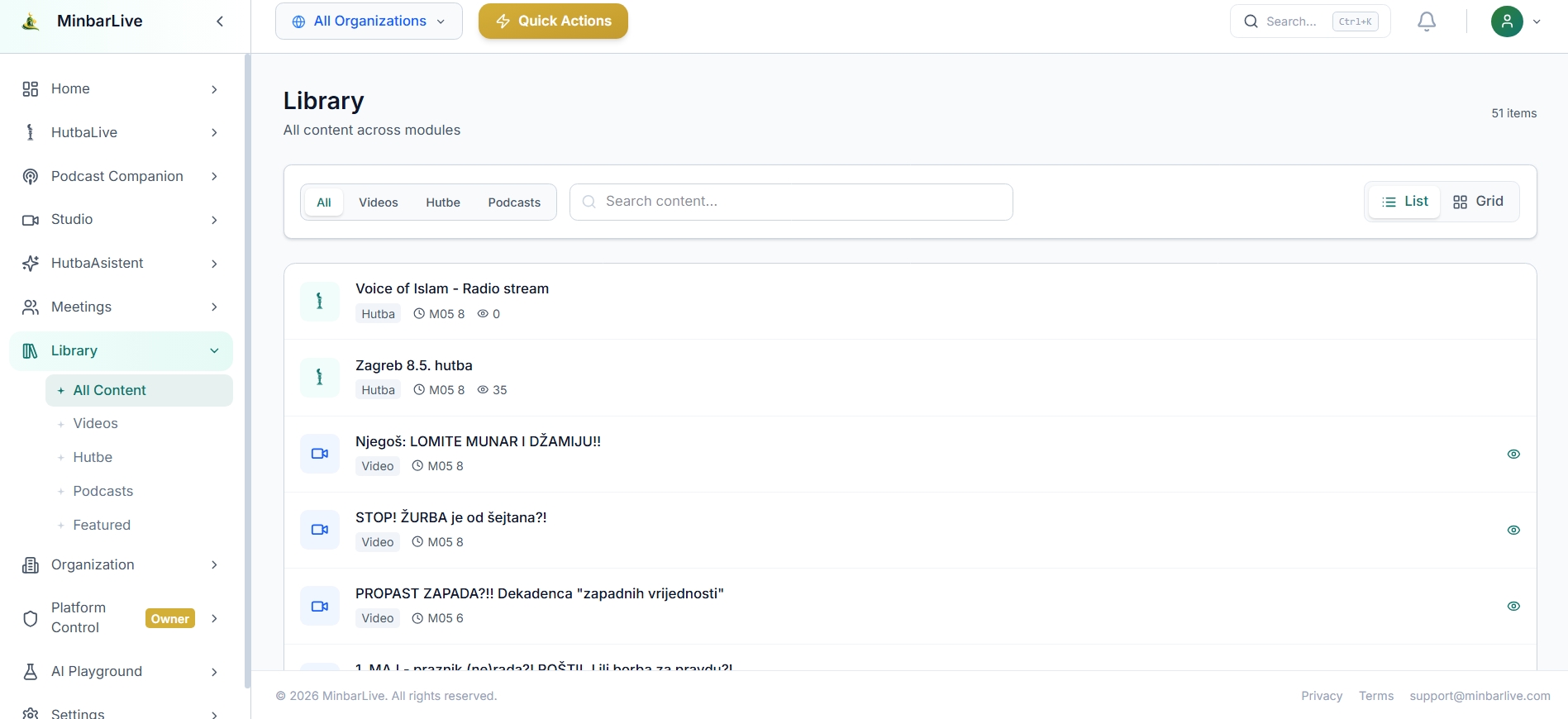
Archive library in list view with content rows, search, filters, and list toggle.
List

Switch to list view for denser review and simpler filtering across all modules

What Archive makes possible

What Archive makes possible

The archive flow is built around everyday retrieval: open one library, search across modules, filter by content type, choose list or grid view, and quickly surface the exact khutbah, podcast, or video you need.

  • Keep khutbahs, podcasts, videos, and other created content together in one searchable library.
  • Filter by content type and search instantly instead of browsing module by module.
  • Switch between list and grid view depending on whether you want quick scanning or compact browsing.
  • Control visibility so content can stay private internally or be made publicly available when ready.
Archive library in grid view with mixed content cards, tabs, search, and grid toggle.
Grid

Scan a mixed content library visually with filters and search at the top

Grid view helps teams browse a large archive faster by mixing content cards from khutbahs, videos, and podcasts in one place, with quick filters and search always visible.

Archive library in list view with content rows, search, filters, and list toggle.
List

Switch to list view for denser review and simpler filtering across all modules

List view is ideal when the team wants to move quickly through more items, compare metadata, and apply filters across the full archive without opening each module separately.

Archive is not limited to sermon history. It becomes the institutional library for all content your organization creates, while also giving you simple controls over what remains private and what becomes publicly available later.

Want to show this workflow to your community or team?

Open the app, try the live workflow, or continue exploring the rest of the MinbarLive modules.