
Module detail

Meetings

Turn a recorded meeting into a searchable transcript, action plan, notes, and a secure shareable record.

Create a meeting with title, date, tags, and source language, record in 10-second chunks, generate the transcript after the meeting, review summary and action items, share minutes securely, and keep everything archived for future search.

Create a new meeting with title, date, tags, location, and source language or auto-detect.Record the session in short chunks; no live transcript is required during the meeting itself.After the meeting, review summary, key points, action items, notes, and AI suggestions in one place.
English walkthrough 1:19

See the full Meetings flow from setup to secure post-meeting record

This walkthrough shows how Meetings replaces slow manual note-taking: create the session, set title/date/keywords/language, record the meeting, and let MinbarLive generate transcript, action items, notes, suggestions, and secure sharing when the meeting ends.

Watch on YouTube
How mosque teams use this module

Meetings

Use Meetings when you need a clean post-meeting record instead of slow manual notes: set up the session, capture the discussion, generate transcript and action items after it ends, share minutes securely, and keep everything searchable in one archive.
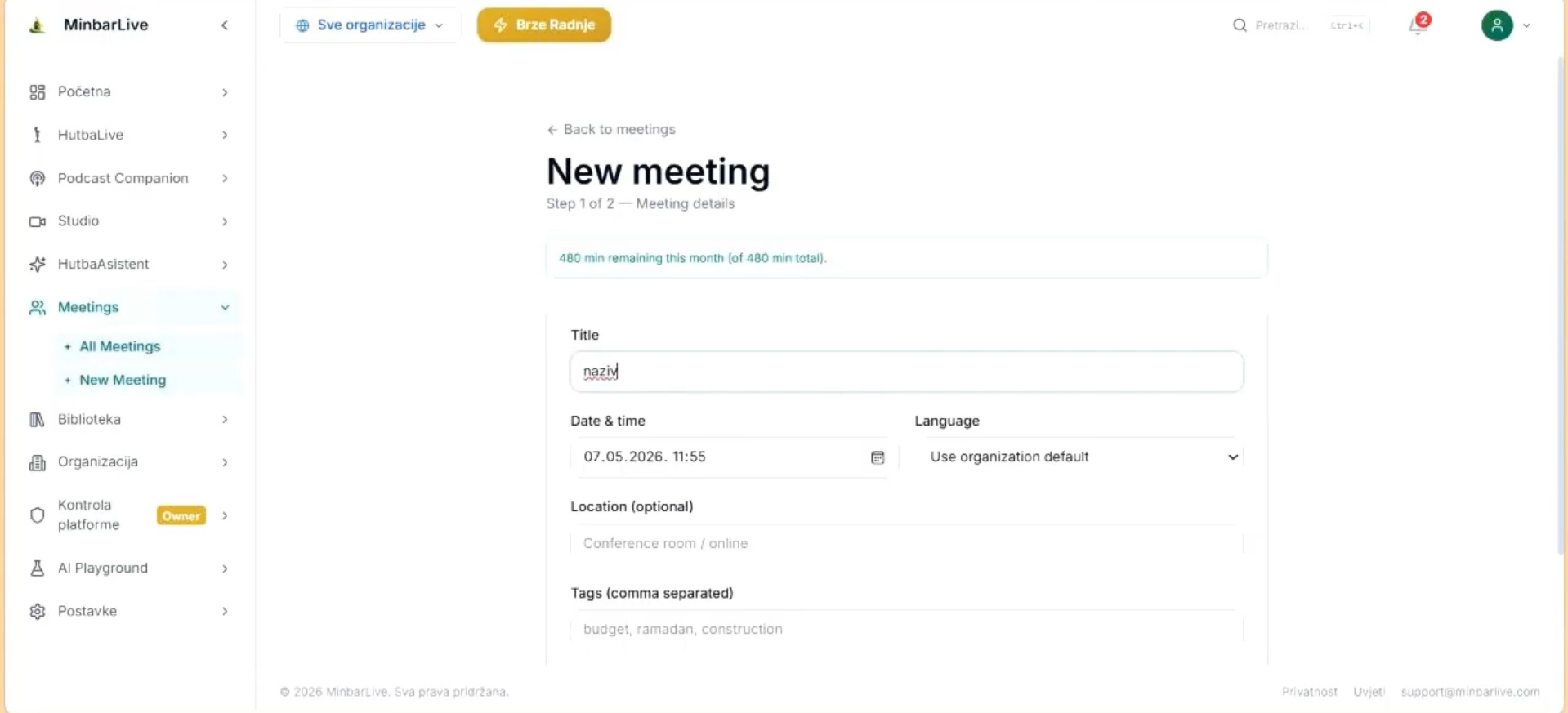
Meetings module create screen with title, date and time, language, location, and tags fields.
Setup

Create a new meeting with the right details before recording starts
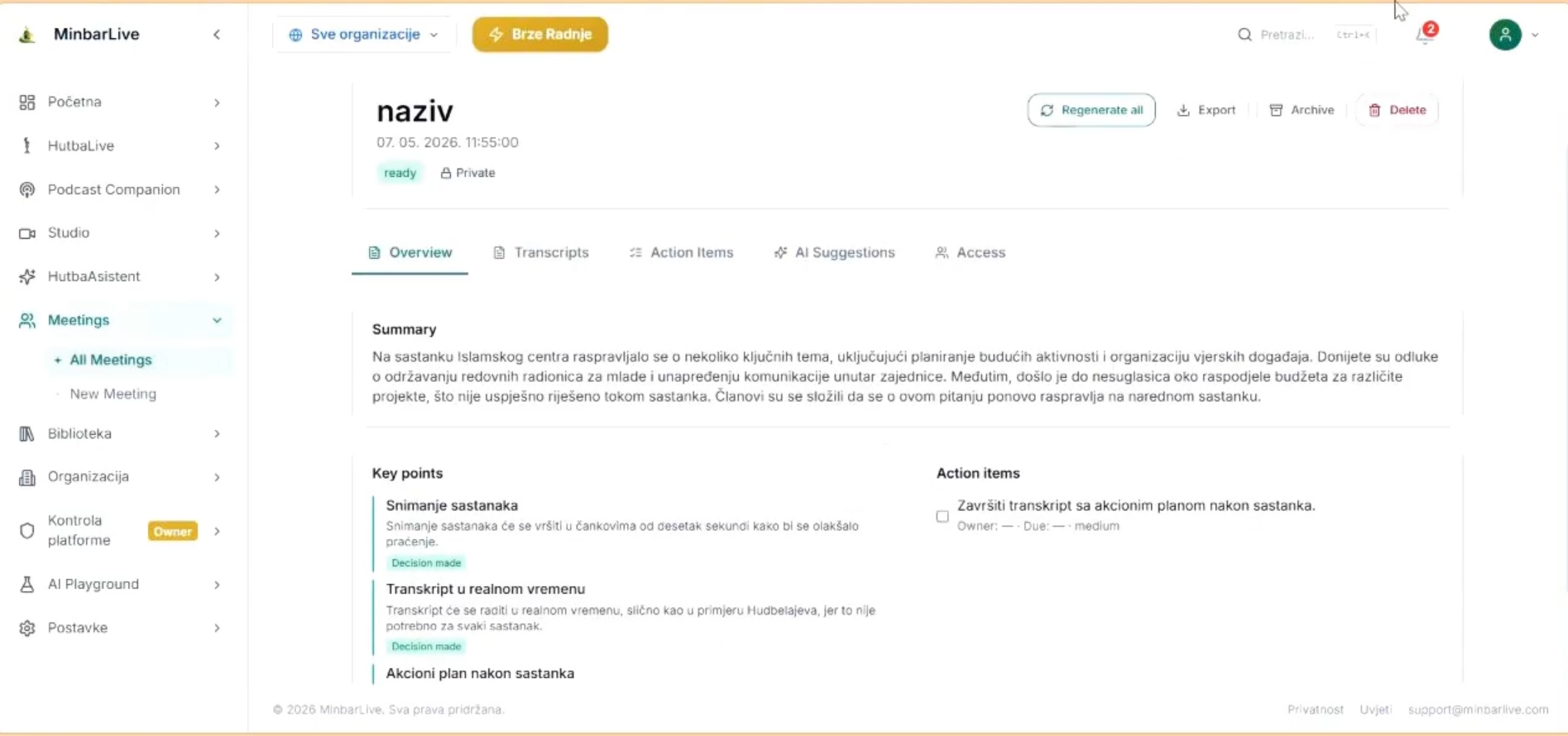
Meetings module overview tab with summary, key points, action items, export, archive, and access tabs.
Review

Review summary, key points, action items, and secure access after the meeting

What this walkthrough shows

What this walkthrough shows

The English demo follows the exact workflow an imam, board, or ops team needs: start a new meeting, capture audio in short chunks, process the transcript after the session, and review summary, key points, action items, suggestions, and access rules from one clean workspace.

  • Create a new meeting with title, date, tags, location, and source language or auto-detect.
  • Record the session in short chunks; no live transcript is required during the meeting itself.
  • After the meeting, review summary, key points, action items, notes, and AI suggestions in one place.
  • Share the minutes securely with selected members via protected link or open access, then keep the archive searchable.
Meetings module create screen with title, date and time, language, location, and tags fields.
Setup

Create a new meeting with the right details before recording starts

The setup screen lets the team define the title, date, language, location, and tags so the transcript and archive stay organized from the first step.

Meetings module overview tab with summary, key points, action items, export, archive, and access tabs.
Review

Review summary, key points, action items, and secure access after the meeting

Once processing is done, the team can open one overview with transcript-derived summary, decisions, action items, AI suggestions, and export/archive controls.

Meetings is designed for committees, boards, workshops, planning sessions, and internal reviews where fast follow-up matters more than live captions. Every meeting stays archived for later search and institutional memory.

Want to show this workflow to your community or team?

Open the app, try the live workflow, or continue exploring the rest of the MinbarLive modules.