Module detail

Public Pages

Give every mosque or branch its own branded public page with hierarchy, permissions, prayer times, announcements, and optional public content.

Manage super-organization and sub-organization structure, assign admin access by level, edit organization profile and branding, choose which public modules appear, and publish a hallway-friendly page with prayer times, notices, donations, and later reading.

Create hierarchy with super organizations and sub-organizations, each with its own admin scope.Keep organization name, description, location, website, and contact details accurate from one profile screen.Apply branding and public-page settings per organization rather than forcing one global look.

English walkthrough 1:14

See the full Public Pages flow from organization profile to branded community display

This walkthrough shows how MinbarLive supports hierarchy, branding, and public presence: manage organization profile data, control permissions between parent and child orgs, and publish a branded page that can show prayer times, announcements, donations, and selected public content.

Watch on YouTube
How mosque teams use this module

Public Pages

Use Public Pages when each mosque or branch needs its own branded front door: manage hierarchy, permissions, profile data, branding, and exactly which public modules appear on the page people see in the hallway or online.

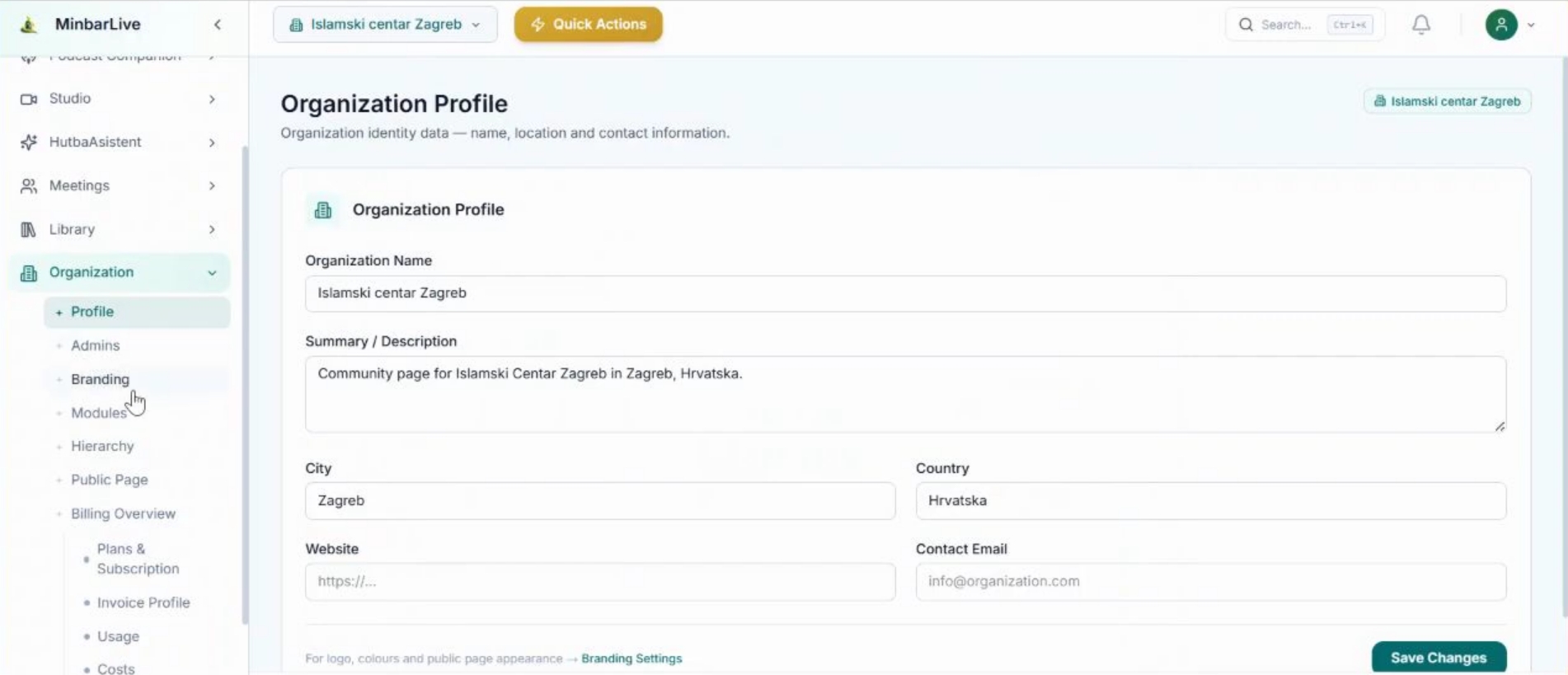
Organization profile screen with name, description, city, country, website, and contact email fields.
Profile

Manage organization identity data before it reaches the public page

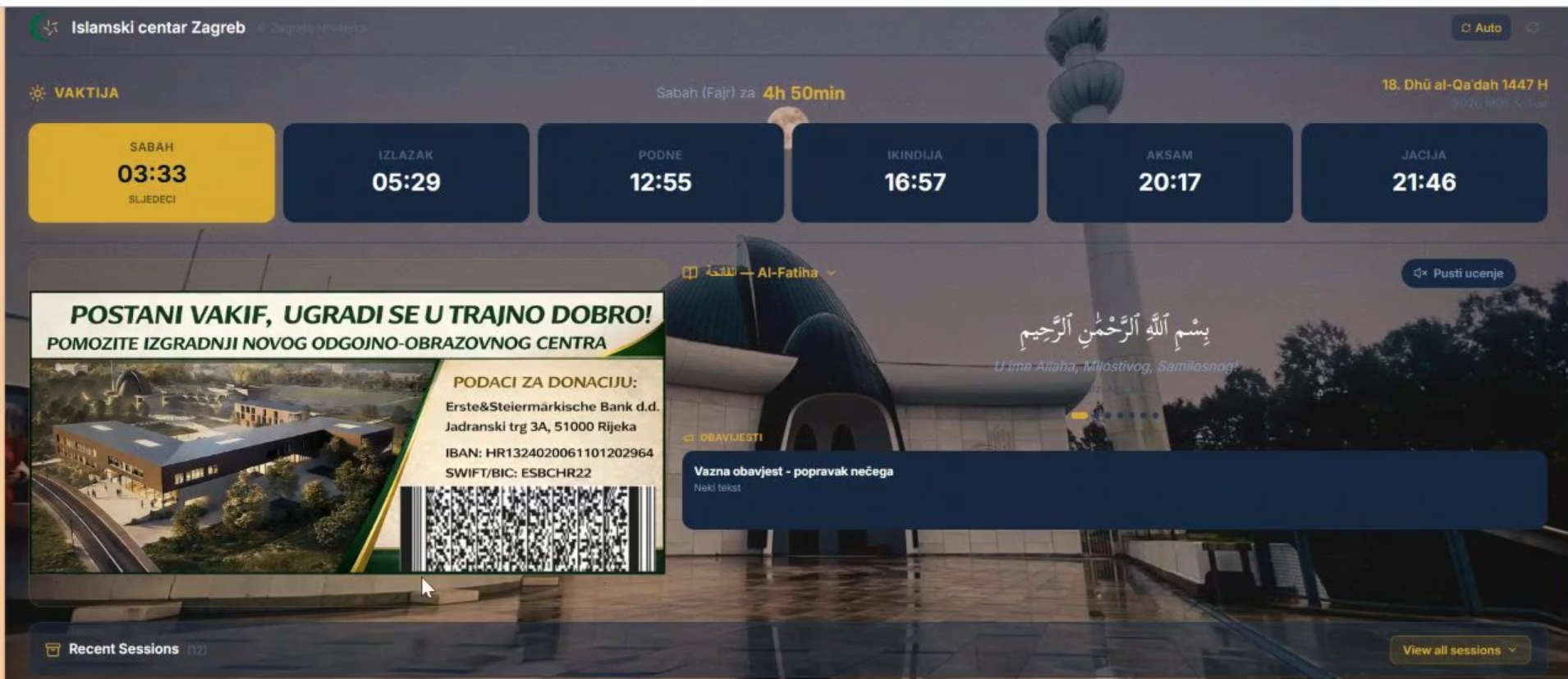
Branded public page with prayer times, announcements, donation panel, and recent sessions.
Branding

Turn that profile into a branded public display with prayer times and notices

What this walkthrough shows

What this walkthrough shows

The English demo follows the exact workflow a multi-site mosque network or single community team needs: define organization identity, maintain location and contact data, tune branding, and expose a polished public page that people can view in the mosque hallway or later from home.

  • Create hierarchy with super organizations and sub-organizations, each with its own admin scope.
  • Keep organization name, description, location, website, and contact details accurate from one profile screen.
  • Apply branding and public-page settings per organization rather than forcing one global look.
  • Show prayer times, community notices, donation prompts, and selected public content on a shareable page people can revisit later.
Organization profile screen with name, description, city, country, website, and contact email fields.
Profile

Manage organization identity data before it reaches the public page

The profile screen centralizes organization name, summary, location, website, and contact details so each branch keeps its public identity clean and accurate.

Branded public page with prayer times, announcements, donation panel, and recent sessions.
Branding

Turn that profile into a branded public display with prayer times and notices

Once branding and public settings are applied, the mosque can present prayer times, announcements, donation prompts, and selected sessions on a page suitable for hallway screens and public visitors.

Public Pages is designed for super-org/sub-org setups as well as single organizations. Teams can enable or disable modules such as khutbah content or other public blocks so each page matches its own brand, governance, and audience.

Want to show this workflow to your community or team?

Open the app, try the live workflow, or continue exploring the rest of the MinbarLive modules.